
Connect Coinbase with a read-only API Key
This guide is for a personal Coinbase account using the Coinbase App / Advanced Trade API. It does not apply to Coinbase Exchange, International Exchange, or Prime.
1Create a Secret API Key in CDP
2Use View only and ECDSA
3Verify and connect in TickPro
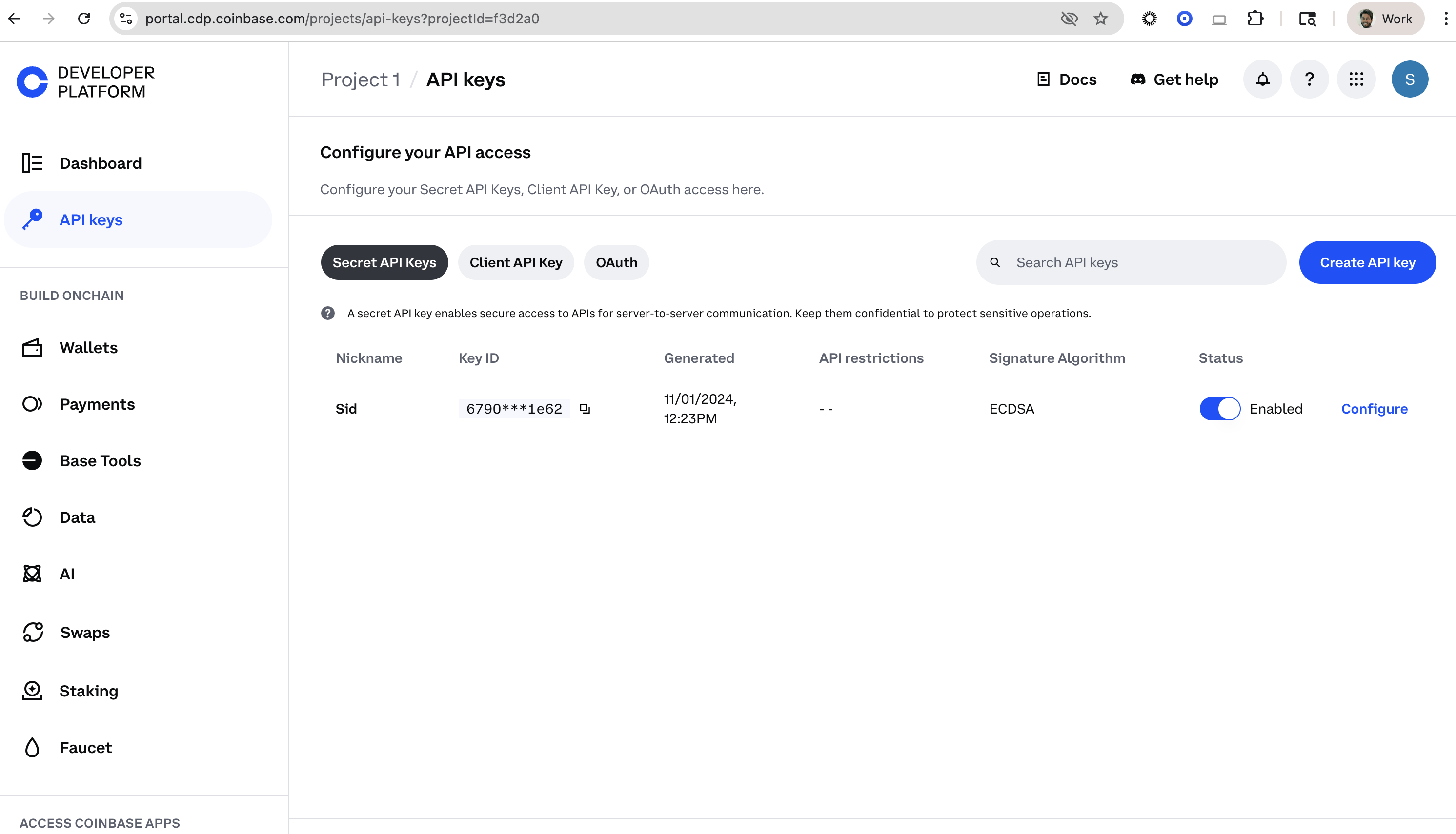
1. Open Coinbase Developer Platform
Section titled “1. Open Coinbase Developer Platform”- Sign in to the Coinbase Developer Platform with the Coinbase account you want to connect.
- Create or select a project.
- Open Secret API Keys.
- Select Create API Key.
2. Configure the key
Section titled “2. Configure the key”Use these settings:
| Coinbase field | Recommended setting |
|---|---|
| Nickname | TickPro |
| Portfolio | Select the portfolio you want TickPro to read |
| API restrictions | View only |
| Signature algorithm | ECDSA |
| IP allowlist | Only enter an address explicitly shown by TickPro |
Expand API restrictions or Advanced Settings if the permission and signature options are hidden.
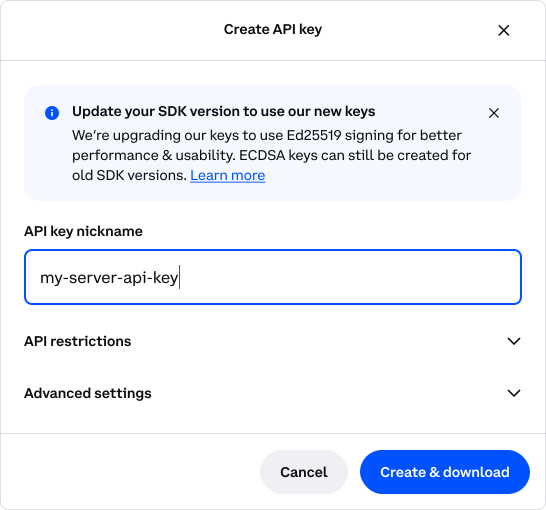
Create the key and complete any Coinbase security confirmation.
3. Copy both credentials
Section titled “3. Copy both credentials”Coinbase shows two values:
- Key Name — looks like
organizations/{org_id}/apiKeys/{key_id} - Private Key — a multiline EC private key
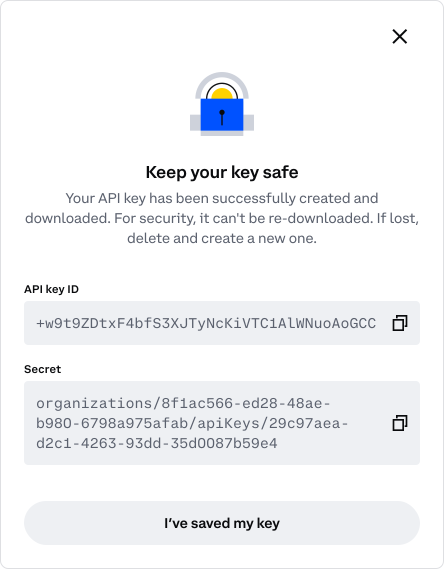
Where each Coinbase value goes in TickPro
Coinbase Key NameTickPro Key NameCoinbase Private KeyTickPro Private Key4. Add the account in TickPro
Section titled “4. Add the account in TickPro”- Open TickPro → Settings → Coinbase.
- Tap Add a new Coinbase account.
- Select the API Key tab.
- Paste the Key Name and the complete Private Key.
- Tap Save and connect. TickPro validates the credentials and permissions before storing the connection.
During validation, TickPro calls Coinbase’s key-permissions endpoint. The key must report can_view: true and must not report Trade, Transfer, or Receive access.
Common problems
Section titled “Common problems”| Symptom | What to check |
|---|---|
| Authentication or signature error | Recreate the key with ECDSA, then copy the full Private Key |
| Invalid Key Name | Copy the complete organizations/.../apiKeys/... value |
| Private Key rejected | Preserve the BEGIN/END lines and all line breaks |
| Permission validation failed | Leave only View enabled |
| IP restriction | Remove an incorrect allowlist or use the server IP shown by TickPro |
| No accounts or balances | Check that the correct Coinbase portfolio was selected |
Revoke access later
Section titled “Revoke access later”Open CDP → Secret API Keys, find the TickPro key, and delete it. You can also remove the connected account from TickPro.