
Schwab connection status
The planned connection
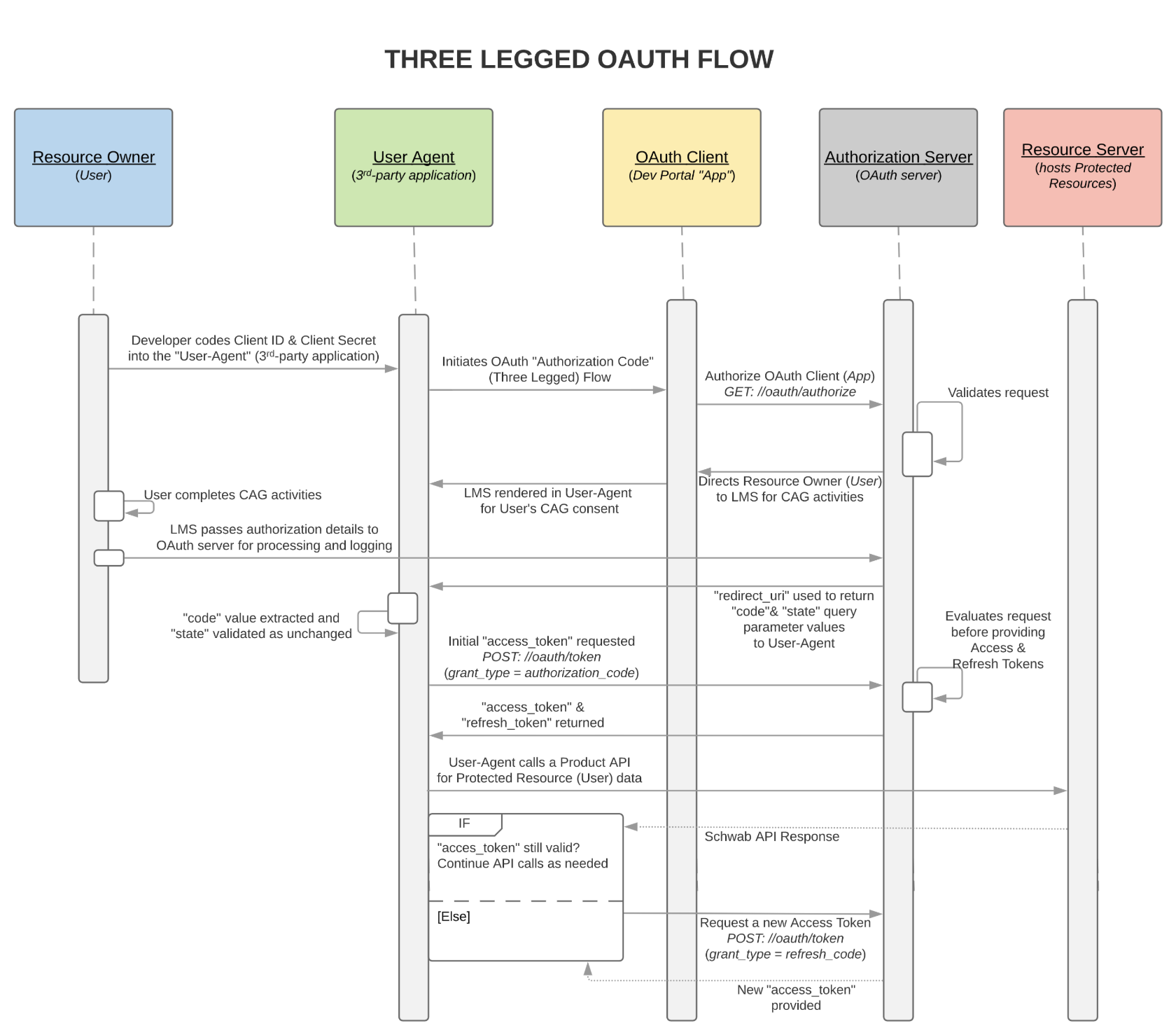
Section titled “The planned connection”When the integration is approved and enabled, TickPro will use Schwab’s official OAuth flow:
1Open Schwab authorization
2Sign in and select accounts on Schwab
3Return to TickPro
Your Schwab username and password stay on Schwab’s page. TickPro receives an authorization token instead of the login credentials.
Schwab’s developer guide describes this as a three-legged OAuth flow: the user signs in to Schwab’s Login Micro Site, reviews consent, selects accounts, and returns to the third-party app.
What you should do now
Section titled “What you should do now”Nothing is required. Wait until the Schwab page in TickPro changes from Coming soon to an active authorization button.
TickPro support will never ask you to send:
- Your Schwab username or password
- A trading PIN or verification code
- An API client secret
- A full account statement or unredacted screenshot