
Connect Binance with a read-only API Key
TickPro currently connects to Binance with an API Key and Secret Key. Binance OAuth is not available in TickPro yet.
Before you begin
Section titled “Before you begin”Binance’s official guide says your account may need:
- Identity verification
- Two-factor authentication or a passkey
- Any deposit in the Spot Wallet to activate API creation
Availability varies by country and account entity.
1. Open API Management
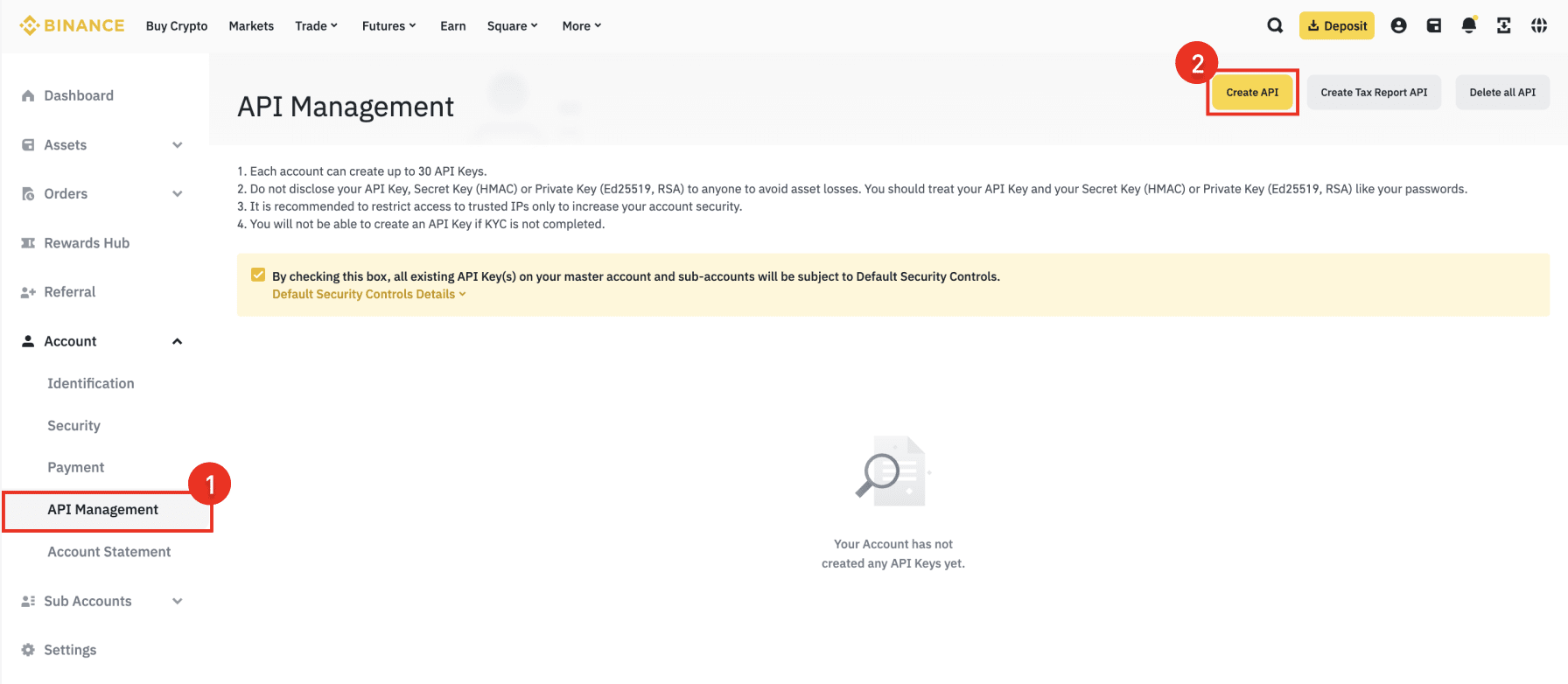
Section titled “1. Open API Management”Sign in on the Binance website, open the profile menu, then go to Account → API Management → Create API.
2. Choose the key type
Section titled “2. Choose the key type”Select System generated. This is the HMAC key type that gives you both an API Key and a Secret Key.
Do not choose a self-generated Ed25519 or RSA key for TickPro.
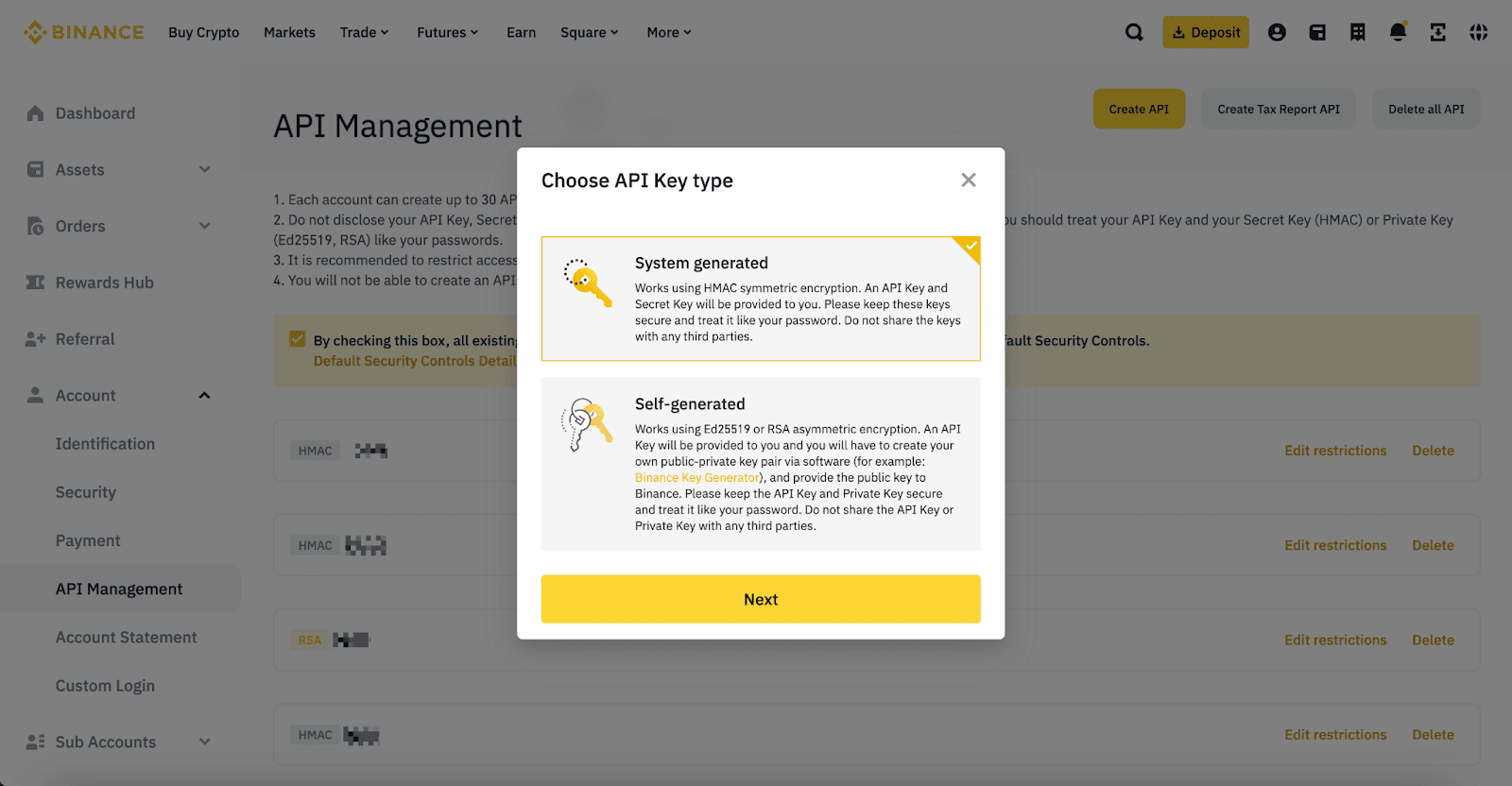
Give the key a name such as TickPro, then complete Binance’s security verification.
3. Keep only reading permission
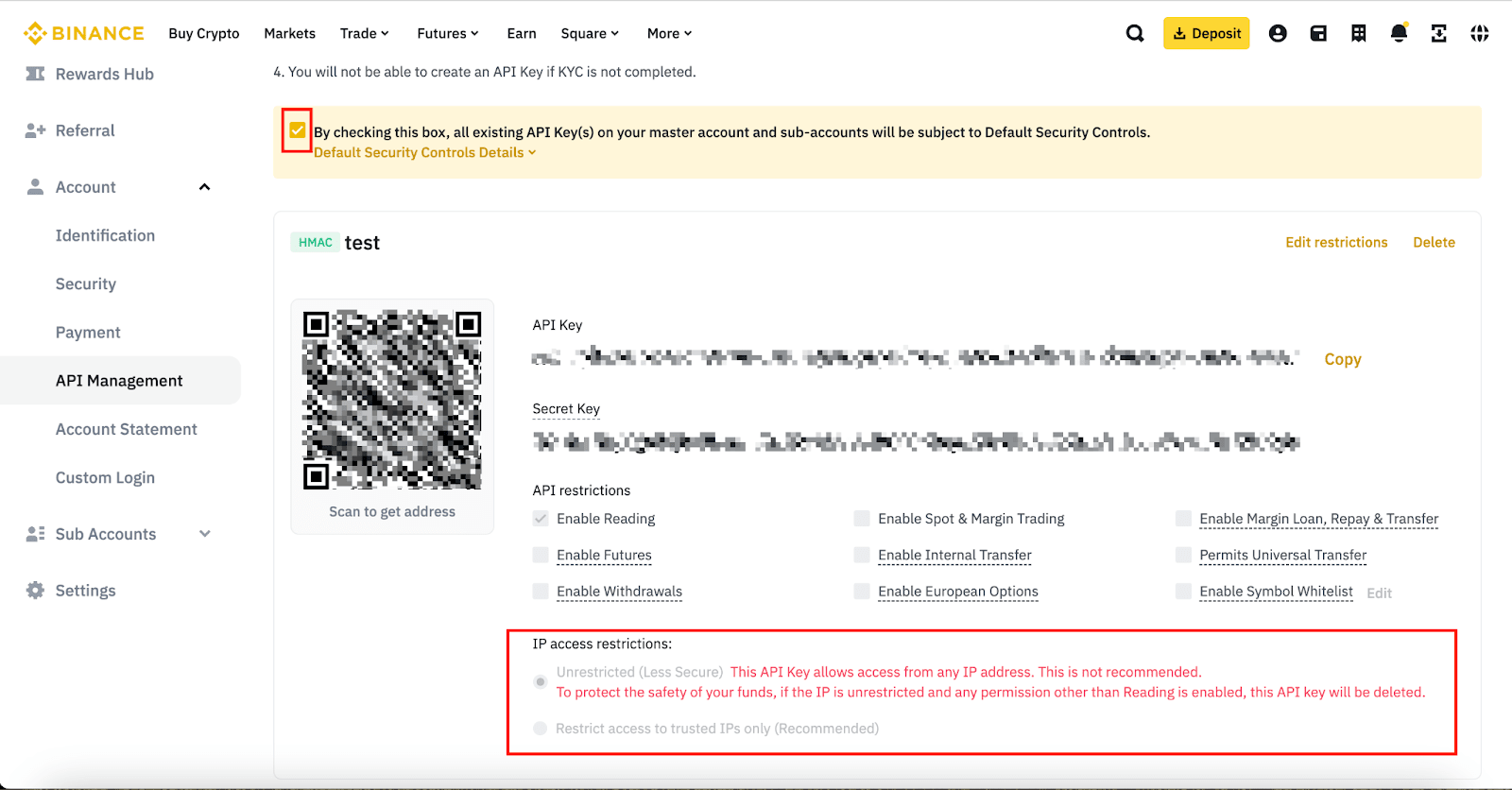
Section titled “3. Keep only reading permission”Use these settings:
| Binance setting | Value |
|---|---|
| Enable Reading | On |
| Spot & Margin Trading | Off |
| Futures | Off |
| Internal / Universal Transfer | Off |
| Withdrawals | Off |
| Margin Loan, Repay & Transfer | Off |
| European Options and other trading permissions | Off |
4. Copy both credentials
Section titled “4. Copy both credentials”Binance normally shows the Secret Key only once.
Binance API KeyTickPro API KeyBinance Secret KeyTickPro Secret Key5. Connect in TickPro
Section titled “5. Connect in TickPro”- Open TickPro → Settings → Binance.
- Tap Add account.
- Paste the API Key and Secret Key, or use TickPro’s supported QR import.
- Tap Save and connect. TickPro validates the credentials and reported permissions before storing the connection.
TickPro currently reads supported spot balances plus USD-M futures positions and orders. Earn products and funding wallets are not included in the account total.
If validation fails
Section titled “If validation fails”- Recopy the matching API Key and Secret Key.
- Remove spaces and line breaks.
- Confirm Enable Reading is on and all write permissions are off.
- Remove an incorrect IP restriction.
- If the Secret Key is no longer visible, create a new key.